



Here's what changed
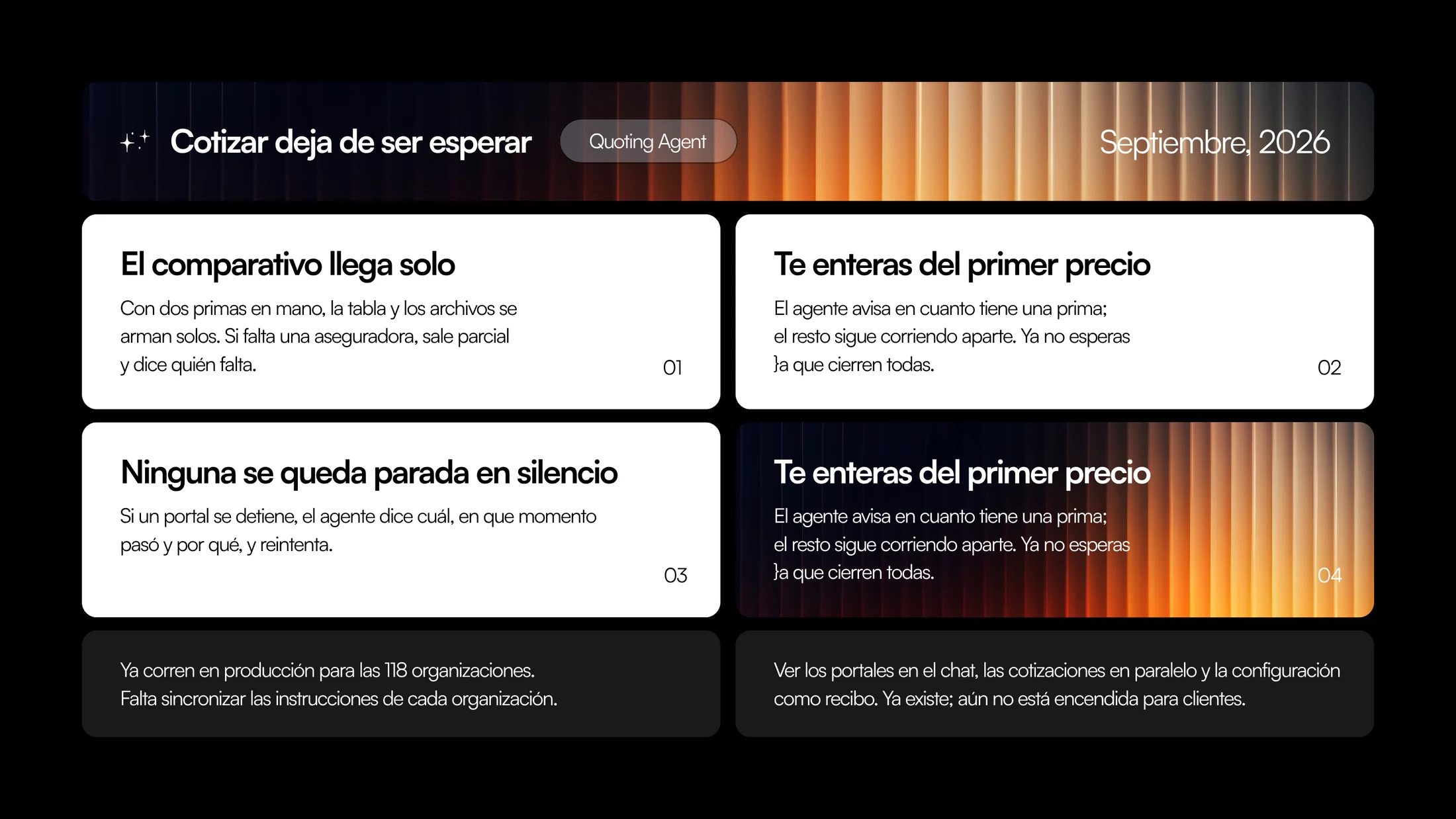
01The comparison arrives on its own
Before: the executive requested the quote, waited for every carrier to close, and then built the comparison table by hand. If one carrier got stuck, there was no table. The whole run depended on the slowest one.
Now: with two premiums in hand, the table and the files build themselves. There's no “build the comparison” step: the comparison is the output.
And if a carrier is missing, the agent doesn't go quiet or hand over an incomplete table as if it were complete. It goes out partial, and says who's missing. The executive decides whether to send that comparison to the client now or wait for the missing one. But they decide with information, not by guessing.
The slow carrier no longer sets the pace for the whole quote.
02You hear about the first price
Before: a quote across eight carriers finished when the eighth one finished. Until then, silence. Seven premiums ready, invisible, waiting on one.
Now: the agent lets you know as soon as it has a premium. The rest keep running separately, in parallel, and come in as they close.
This changes the order of the conversation with the client. An executive can have the first price in hand while the others are still running, and start talking to the insured with a real number. You no longer wait for all of them to close to know whether you're on track.
What becomes visible is something that was always there: most premiums are ready long before the full run ends. Now you see them when they exist, not when the last one finishes.
03None stalls in silence
This is the change we were asked for the most, and the hardest one to build well.
Before: a portal would stop (dropped session, captcha, a form that changed, portal under maintenance) and from the outside it looked the same as “still running”. The executive waited. Sometimes a long time. And when they noticed, they didn't know at which step it had failed or why.
Now: if a portal stops, the agent says which one, at what point it happened and why. And it retries on its own.
Three things, in that order. Which one, so you don't search among eight. At what point, to know whether it was at login, during data entry or at download. Why, to tell a portal error apart from data missing in the request. And the retry runs without anyone having to ask for it.
The rule is simple: a quote is never in a state that can't be explained. It's either running, closed, or failed and you know why. There is no fourth state.
04You see what the agent sees
The three changes above have a visual version we've already built: seeing the portals directly in the chat, the quotes running in parallel, and the setup of each quote as a receipt: what was requested, from whom, with what data.
It already exists. It isn't turned on for clients yet.
The reason is the usual one: we'd rather turn it on once the flow underneath is stable in production, not before. This view doesn't add capability; it adds trust. And trust can't be switched on halfway.
Status
What's left is syncing each organization's instructions: the particular way each broker names lines of business, builds its comparison and decides when a partial is good enough. The agent already knows how to notify, build and retry; it still has to do it in the language of each operation.
What's next
Finish syncing instructions per organization and turn on the portal view in the chat for clients.
Closing
Quoting had a hidden cost that didn't show up in any metric: waiting without information. This cycle was about that.
If your operation quotes in parallel across several carriers and you'd like to see how the partial comparison behaves with your portfolio, reply to this email and we'll go over it.
Talk to you in two weeks.